Z-Image – Lightning-Fast Image Model
Z-Image-Turbo makes photoreal images in seconds, renders English & Chinese text clearly, and obeys your prompts. Fine-tune with Z-Image-Base or edit with Z-Image-Edit—all in one place.
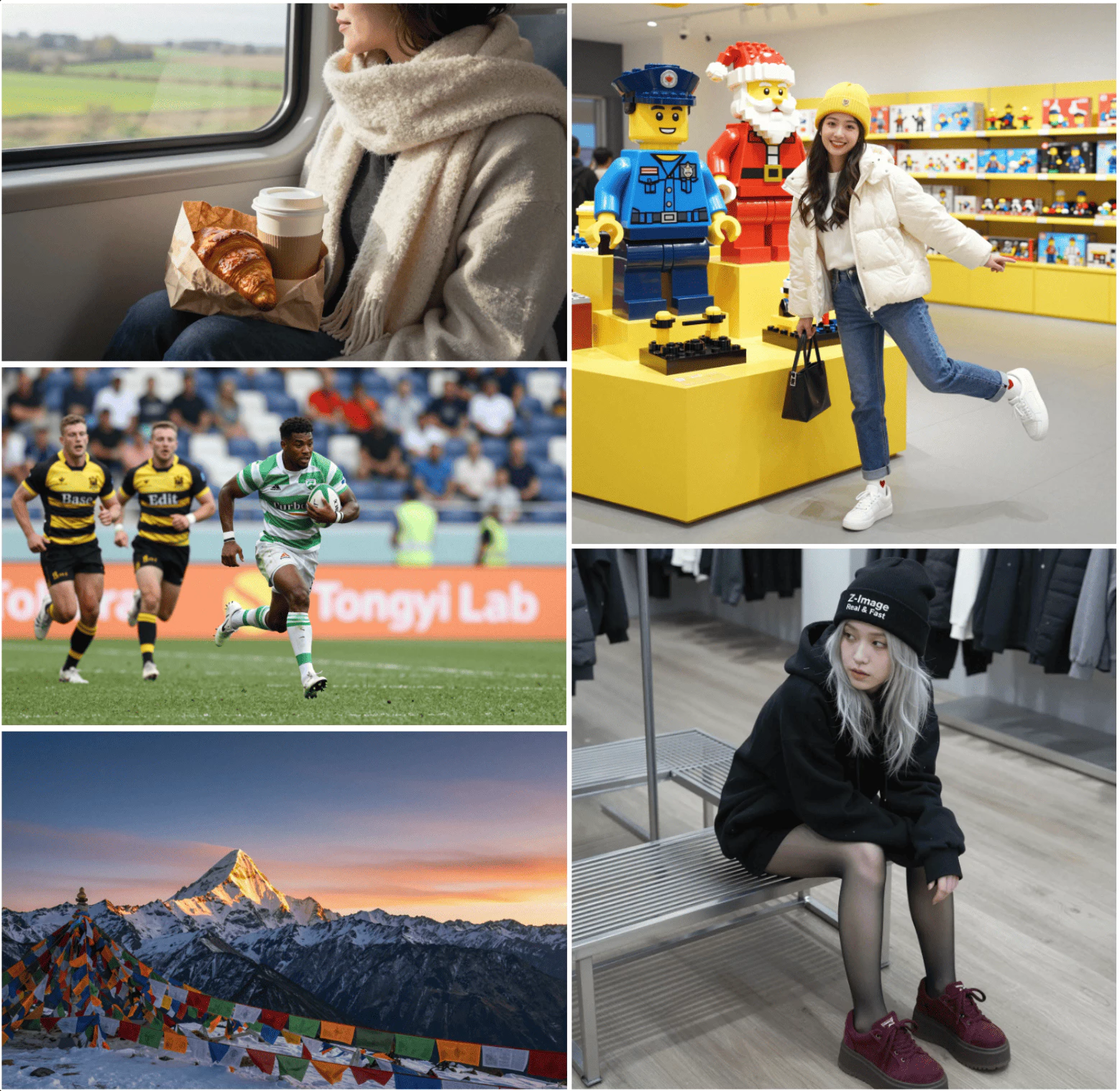
What is Z-Image?
Z-Image is a 6B-parameter AI image engine. It preserves your original layout and applies the style or edit you describe, giving you full creative control.
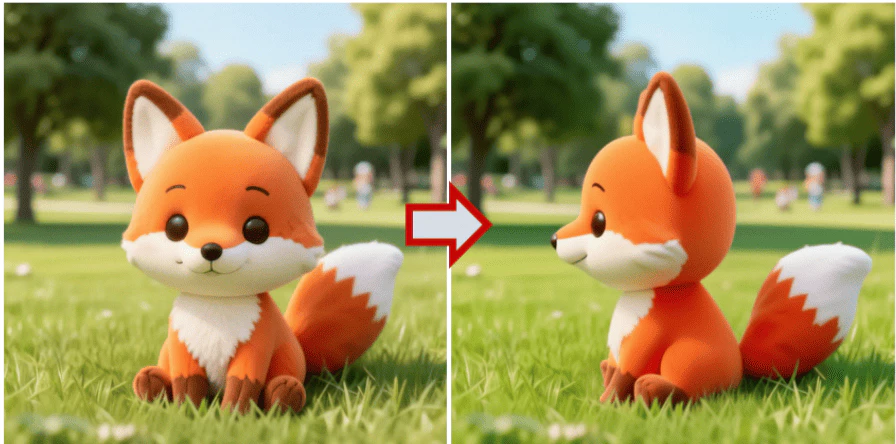
- Keeps Layout IntactMain subjects stay put while the rest of the scene adapts to your prompt.
- Instant Style SwitchesJump between moods or looks in seconds—ideal for quick concepts.
- Fine-Tune EasilyTweak strength, aspect ratio and output count until it fits your vision.
Why Choose Z-Image AI?
See how Z-Image refreshes photos in a few taps:
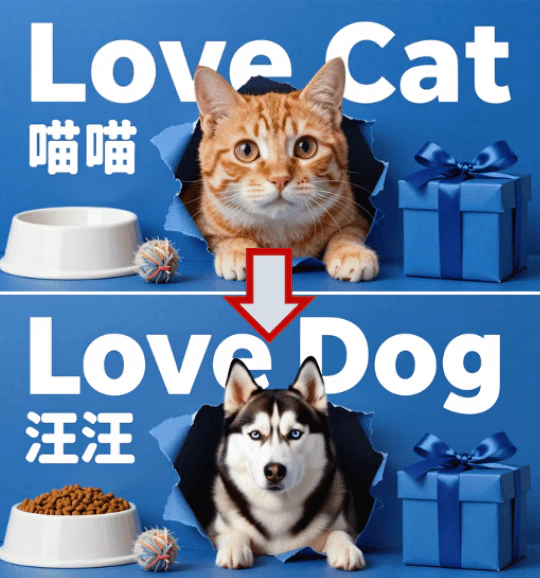
Z-Image Core Advantages
Discover how Z-Image makes pro-grade visuals fast and simple:
Photo-Real Sharpness
Powered by a 6-billion-parameter backbone, Z-Image protects every micro-detail—skin pores, fabric weave, shimmering bokeh—no matter how far you zoom or upscale. From phone thumbnails to 8K billboards, edges stay surgically clean and textures remain true-to-life, so your work always feels freshly shot on a pro DSLR.
Bilingual Text Clarity
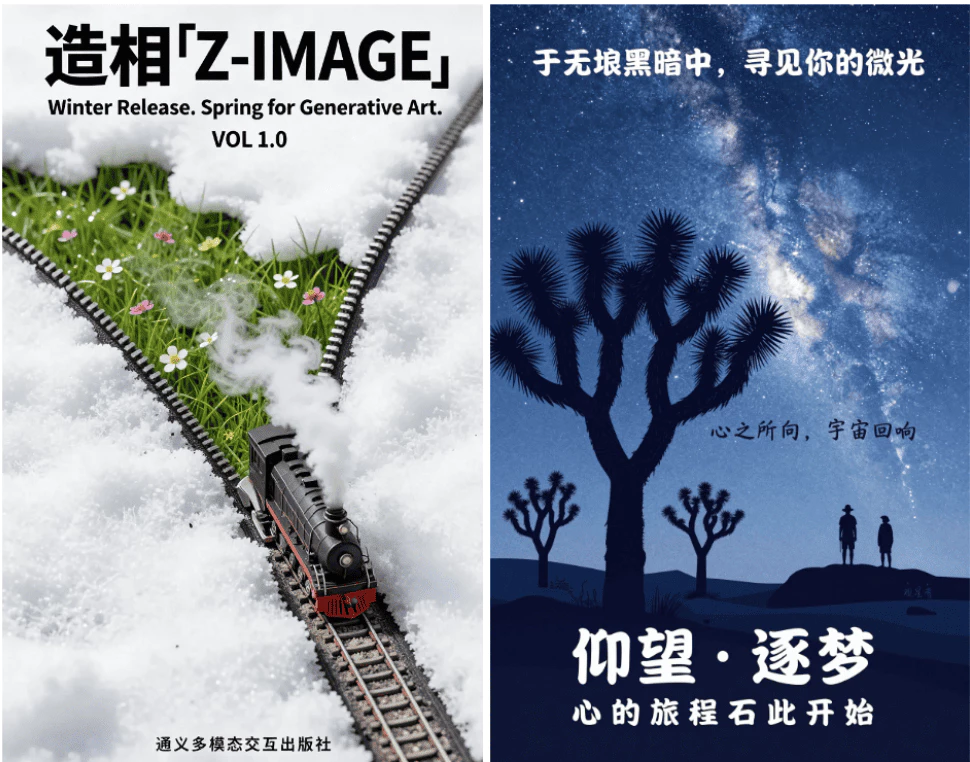
Logotypes, captions and UI copy appear razor-sharp in both English and Chinese. Our glyph-aware renderer prevents broken strokes, jagged curves or missing radicals, delivering press-ready typography for posters, marketing assets and multilingual app mocks—all without tedious manual retouching.
Instant Style Shifts
Jump from pastel pop to gritty cinematic with a single slider. Z-Image auto-balances exposure, colour harmony and contrast, giving you production-grade grading in seconds—perfect for rapid A/B concepts or last-minute mood changes before client hand-off.
Smart Prompt Reasoning
Our Prompt Enhancer acts like a creative co-pilot, interpreting nuance, idioms and implied context. It draws on world knowledge to expand sparse phrases into vivid, well-structured prompts, ensuring the engine captures your intent—not merely the literal keywords—for consistent, on-brand results.
Precise Image Editing
Use plain English—or Chinese—to erase distractions, resurrect missing objects or recolour elements. Z-Image-Edit isolates the target region intelligently, so you can refine portraits, swap backgrounds or adjust product labels without wrestling with masks, selection tools or layer stacks.
Fast Cloud Rendering
Our edge-optimised cloud renders your request in seconds and streams results back compressed and cache-friendly. Iterate anywhere—laptop, tablet or phone—without expensive GPUs or plug-ins, and download full-resolution files straight into your workflow.
Create Your First Image with Z-Image
Follow three quick moves to turn any picture into AI magic:
Upload a Clear Photo
Pick a bright, sharp picture to start.
Describe the Look
Type what style or edits you want. Use English or Chinese.
Generate & Keep
Z-Image shows results fast—save the one you like.
Creators Spotlight
See how Z-Image powers fresh ideas for marketers, artists and everyday users.
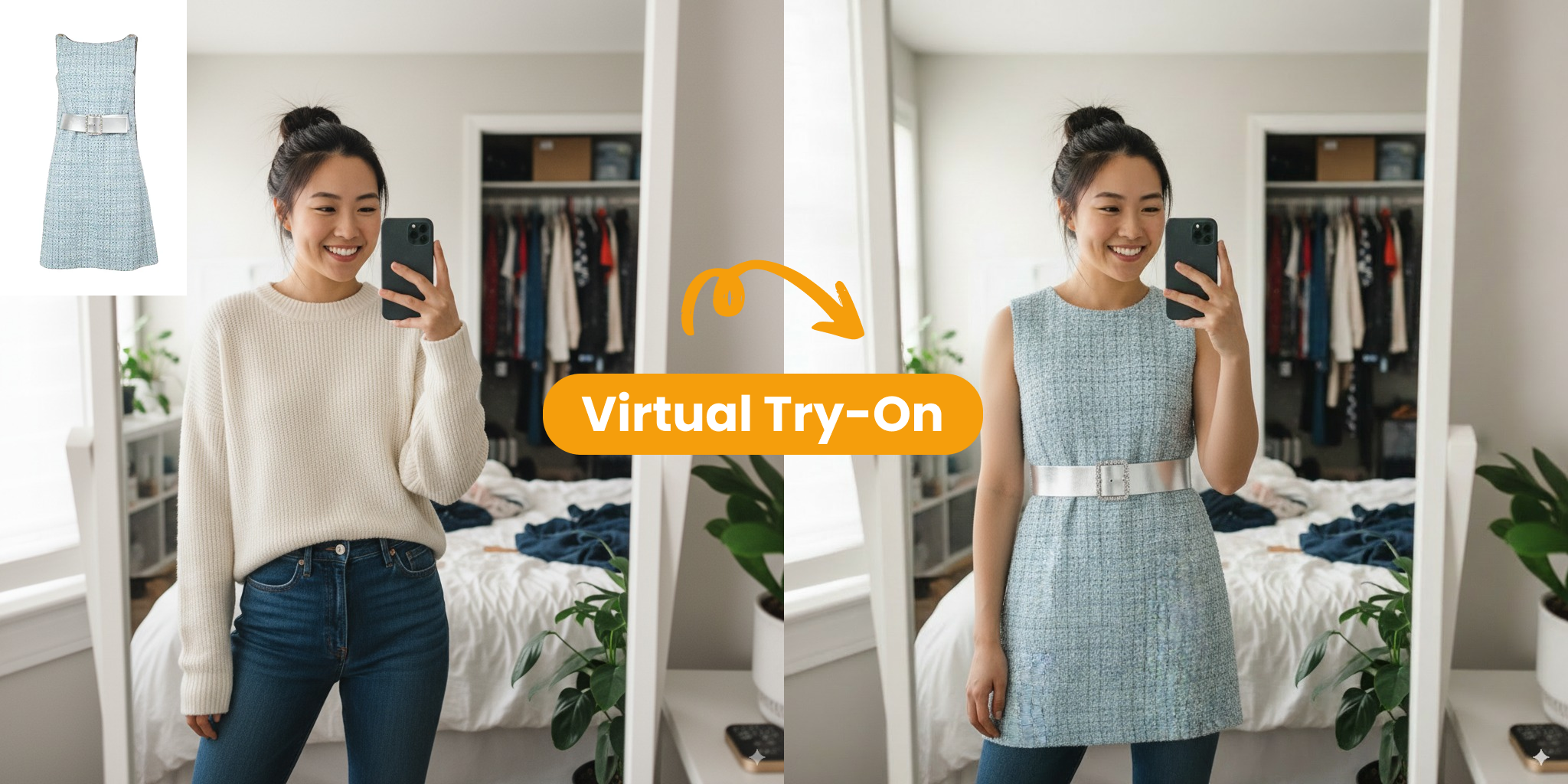
See New Outfits Instantly
“I snap a mirror selfie and Z-Image swaps fabrics and cuts in seconds—no fitting room needed.”
- Preview different styles with one click
- Share realistic mock-ups before buying
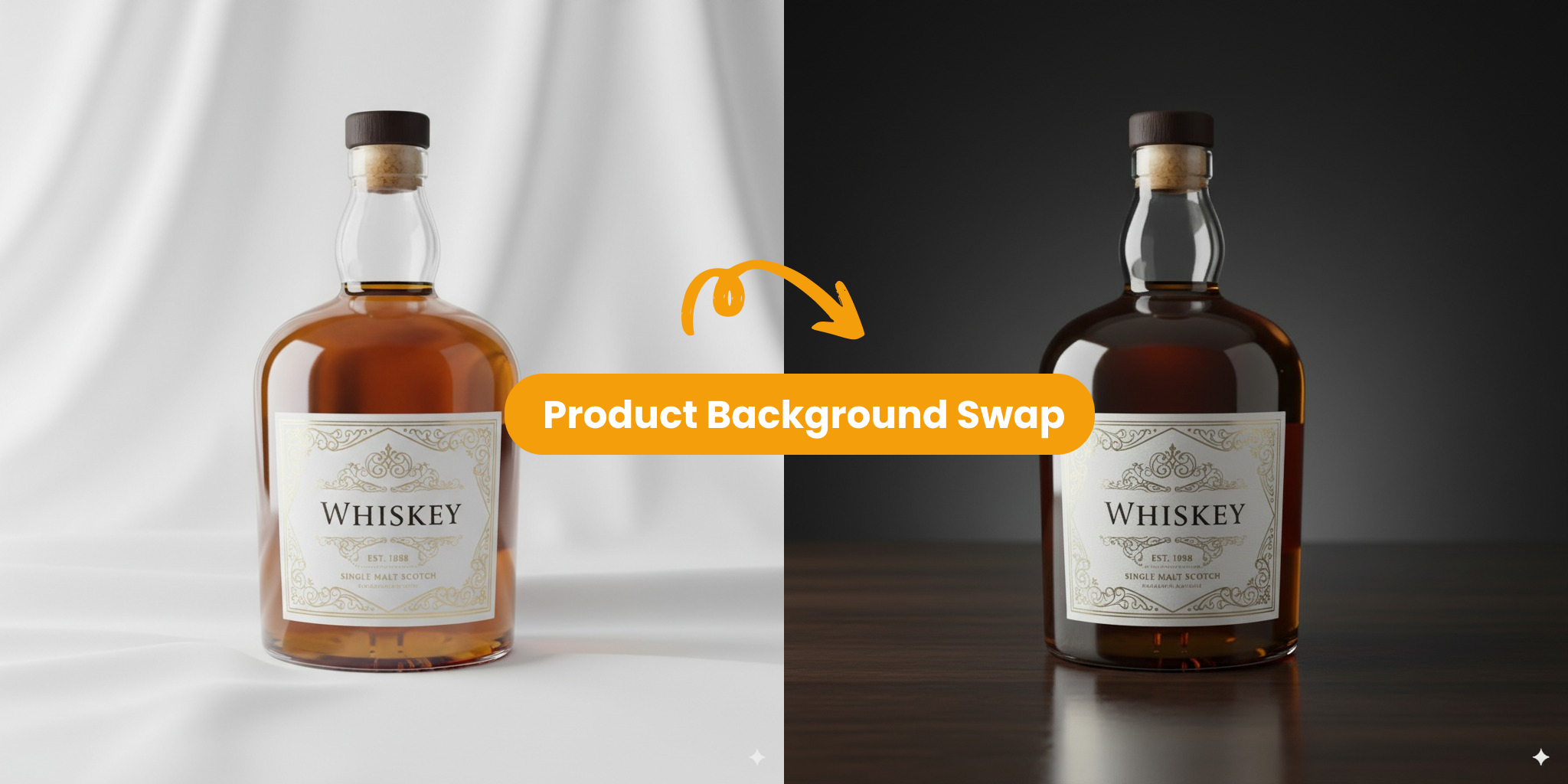
Marketing Shots Without a Studio
“One product photo becomes campaign-ready visuals as Z-Image places it into themed scenes—no pricey sets.”
- Generate varied backgrounds for A/B tests
- Keep lighting and brand colours consistent
Z-Image – Create & Refine AI Images Fast
Driven by a 6B-parameter engine for lifelike output and quick edits.
Style Options
20+
Jump from photoreal to stylised looks in a tap.
Render Time
Seconds
Sub-second previews keep you in the creative flow.
User Happiness
97%
Creators trust Z-Image for smooth, daily work.
How Creators Feel About Z-Image AI
Hear real stories of turning ideas into visuals with Z-Image.
Brian K.
I mock-up product shots before booking a studio—Z-Image saves me thousands every launch.
Maya L.
As a solo marketer I build campaign graphics in minutes—no more digging for stock art.
Leo P.
The concept-art presets let me iterate game assets fast—my art team loves the head start.
Sofia G.
I turn client sketches into refined interior renders—feedback sessions are a breeze with Z-Image.
James W.
One prompt unlocks endless social posts. Engagement jumped 4× after ditching stock images.
Z-Image FAQ
Get quick answers about creating and editing pictures with Z-Image. Need more help? Contact us anytime.
What is Z-Image?
Z-Image is a 6-billion-parameter AI image model offered in Turbo, Base and Edit versions. Turbo is distilled for speed, Base is open for community fine-tuning, and Edit specialises in image-to-image tasks. Provide a text prompt or a reference photo and the engine analyses composition, lighting and perspective to create realistic pictures in seconds—no complex setup required.
Why choose Z-Image?
Creators choose Z-Image because it combines studio-grade quality with lightning speed. Turbo renders photoreal frames in under a second on enterprise H800 GPUs yet still fits comfortably into 16 GB consumer cards. It also writes crisp English and Chinese text and follows complex instructions faithfully, making it perfect for ads, UI mocks and concept art.
How do I start using Z-Image?
Getting started is fast: open an account, drag-and-drop an image—or simply type a prompt—then adjust strength, aspect ratio and output count. Press Generate to watch previews stream in real time. Built-in tooltips explain every slider so you can move from idea to downloadable, high-resolution image in under two minutes.
Where can I learn more?
Explore our blog for weekly posts that cover best-practice prompting, advanced settings and behind-the-scenes engineering of Turbo, Base and Edit. You’ll find step-by-step tutorials, workflow case studies and release notes that help you integrate Z-Image into your creative stack or train your own specialised checkpoint.
What makes Z-Image different?
Unlike many generators, Z-Image preserves accurate depth and balanced tone. Its perspective-aware sampler keeps geometry true while adaptive tone mapping protects shadow, mid-tone and highlight detail. Coupled with an efficient 8-NFE architecture, the engine outputs camera-ready results free from common artefacts like mushy textures or blown-out highlights.
Can I adjust the visual style?
Absolutely. Blend preset themes, colours or backgrounds, or upload reference images to lock character consistency across shots. Real-time sliders let you fine-tune grain, colour balance, lighting and lens effects—ideal for subtle Instagram aesthetics or bold cinematic looks destined for large-format prints—all without leaving the interface.